

For garages, body shops, detailers, tire and mobile techs
Put this week’s offers in front of drivers nearby.
See the jobs drivers near you post, with their budget, and send your price. Publish a designed flyer of this week’s offers that drivers book into your open windows. Run it all from one dashboard.
- Free while we launch
- No commission
- No card on file
20 shops across Canada already take bookings here.
Why publish a flyer
Everything your counter flyer did, now where drivers look
A flyer says what you do, what it costs and until when. Here it also takes the booking.
Reach by postal code
Your flyer shows to drivers whose postal code is within reach of your shop, anywhere in Canada: on the flyers page and in weekly flyer alerts. Job requests for the services you do reach you by e-mail.
A designed flyer in minutes
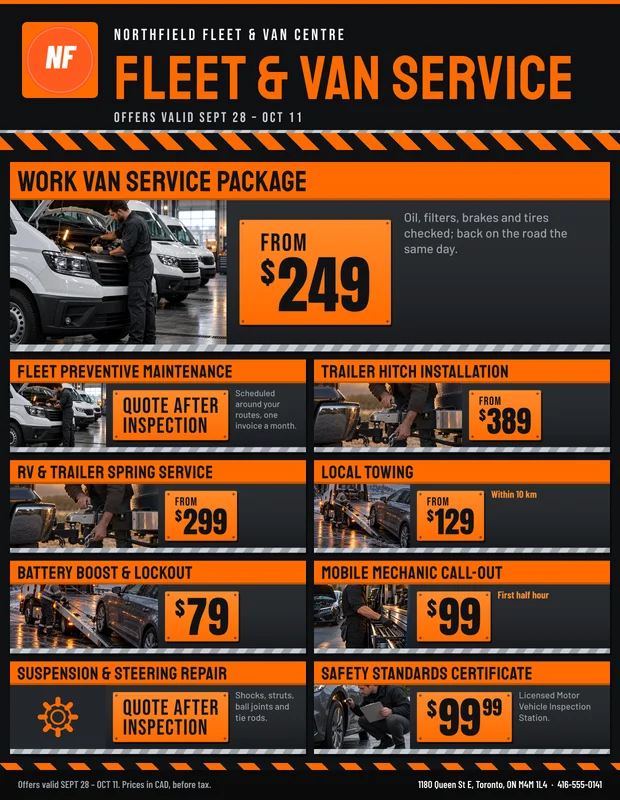
Type your offers and prices, add a photo, pick one of ten looks. The studio sets the pages, fits every price to its box and prints the fine print. Already have a flyer? Upload the PDF.
Appointments, not phone tag
Customers book into the windows you open, with your capacity per window, lead time, buffers and closed days. A full window disappears by itself.
Reviews from real customers
Only customers whose appointment you completed can review you, so your rating reflects work you actually did.
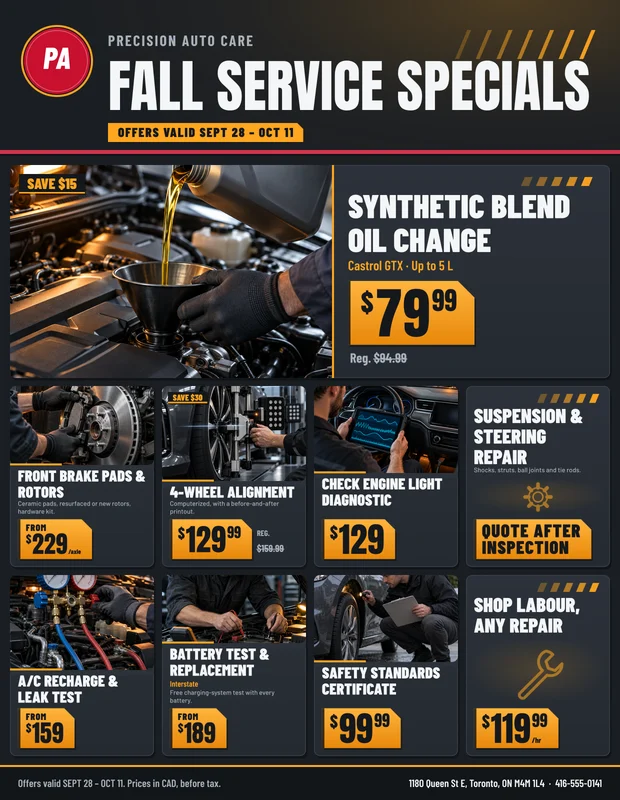
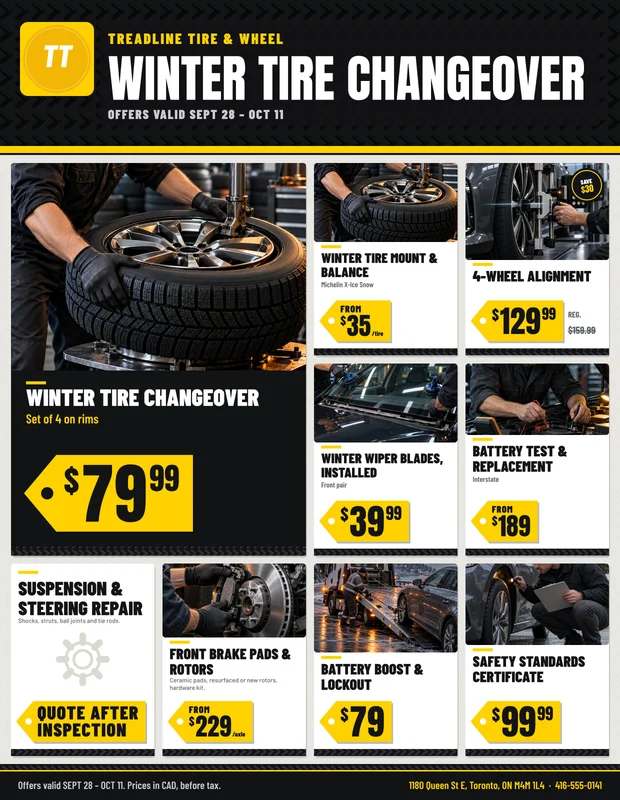
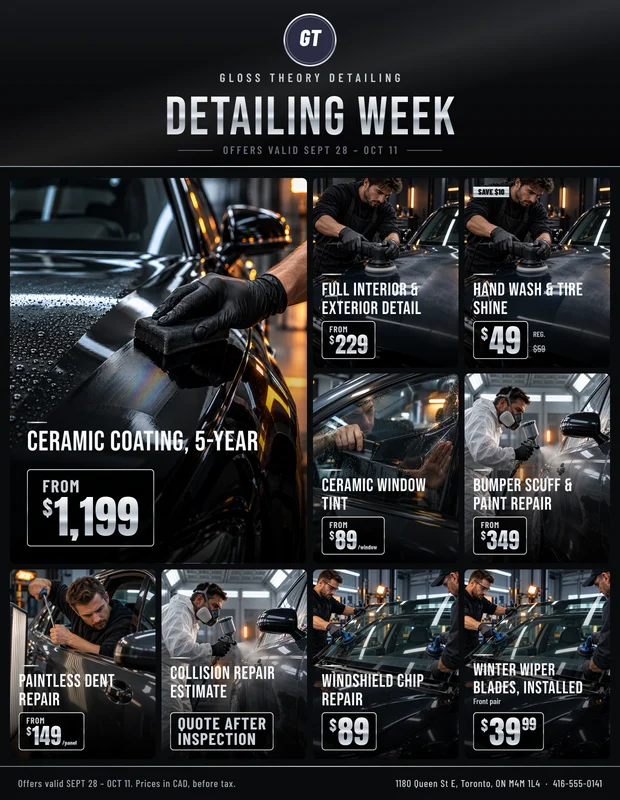
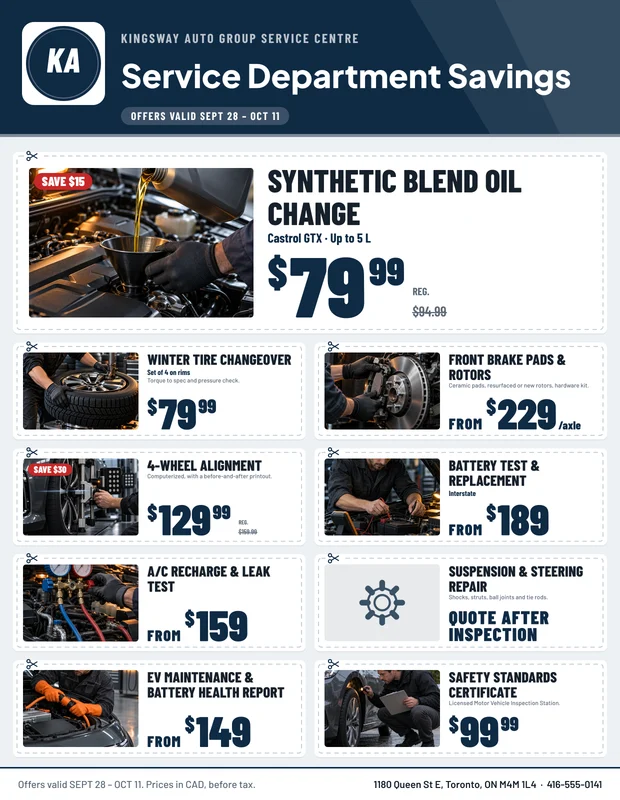
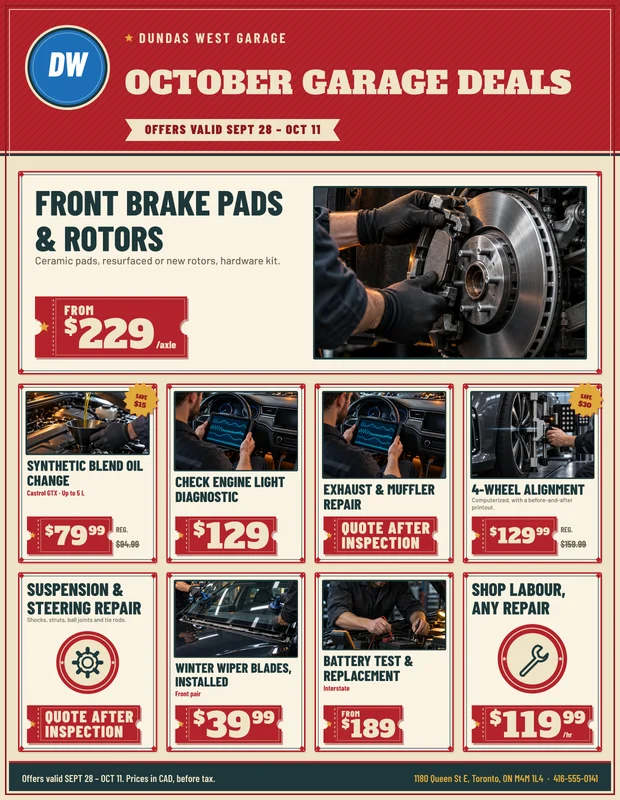
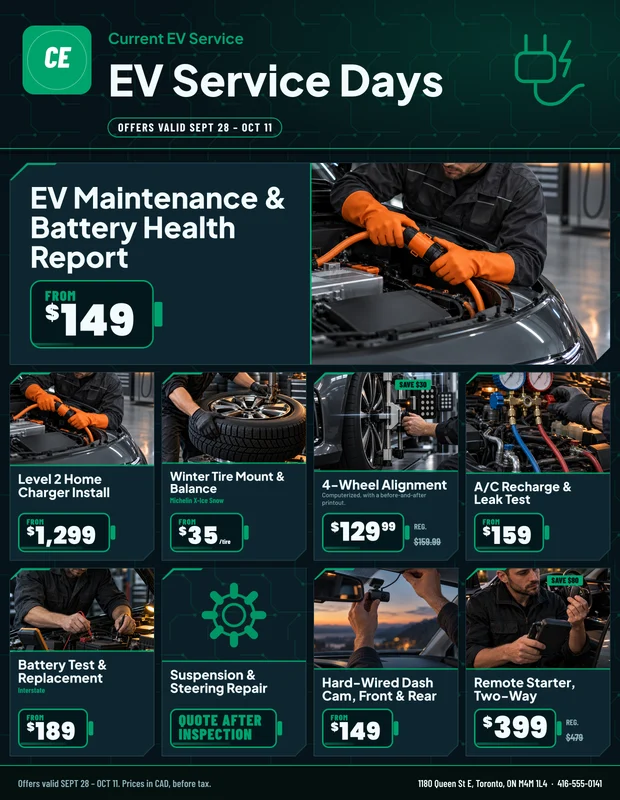
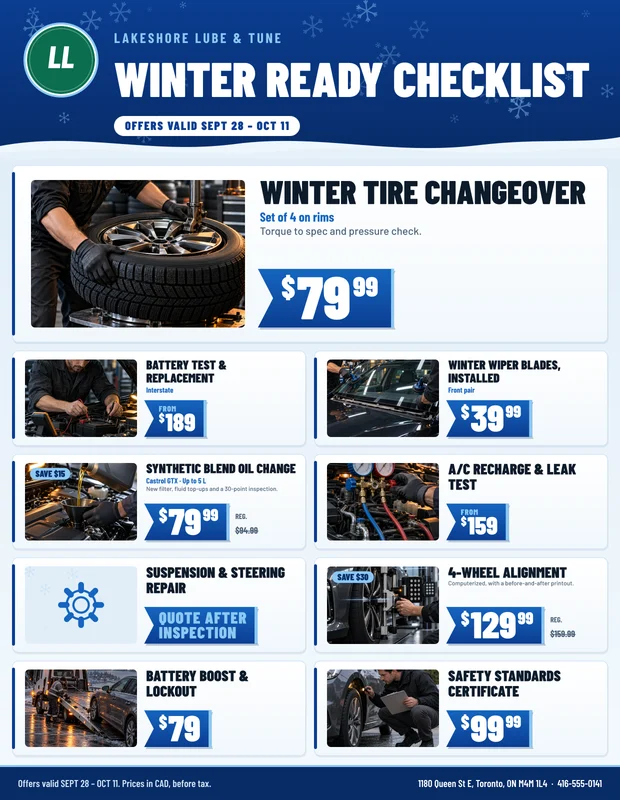
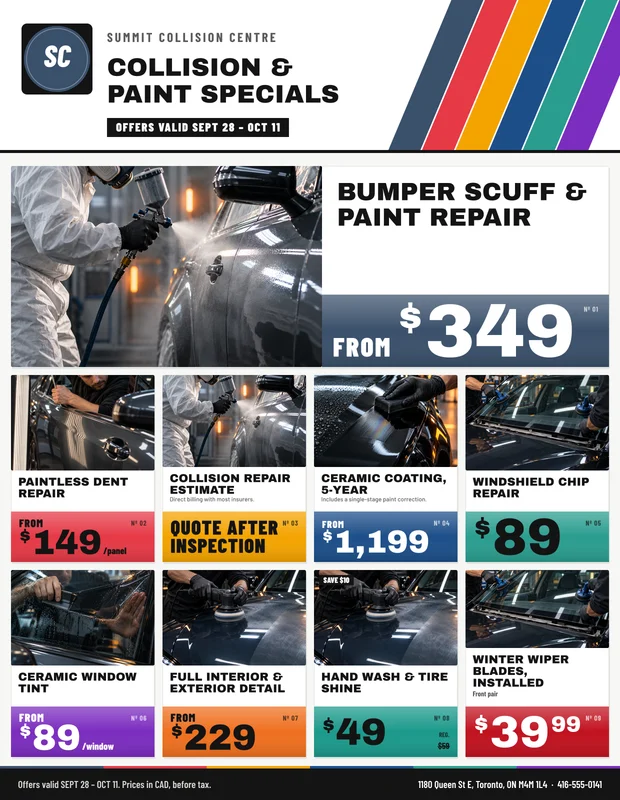
Ten looks
Pick a look. The studio sets the type.
Every flyer is drawn by the same engine from what you type: your logo and colours, prices fitted to their boxes, dates and fine print in place. Switch looks any time; the offers stay.

How it works
From sign-up to your first booking
Step 1
Create your business account
Your name, your shop’s name and an e-mail. Two minutes, no card.
Step 2
Set up your store and windows
Address, hours, the services you do (you hear about job requests for them), then your appointment windows: which days, how long each window is and how many cars fit in one.
Step 3
Build your flyer
Type this week’s offers and prices, set the dates, choose a look. Or upload a PDF you already have.
Step 4
We approve it
Staff check new shops and flyers, usually within one business day. You get an e-mail the moment you are live.
Step 5
Bid and take bookings
Send your price on the job requests near you; when a driver hires you, you get their details and a conversation. Flyer bookings land in your inbox and calendar.
What it costs
Free while we launch
Auto Market World charges shops nothing in this first version: no listing fee, no commission on bookings, no card on file. Customers pay you directly, in store, after the work, as they always have.
- Unlimited flyers, built or uploaded
- Unlimited bookings and customers
- Inbox, calendar and customer messages
- E-mail confirmations and reminders for your customers
- Reviews from completed appointments
- Job requests from drivers near you, and unlimited bids
- Your shop page with the services you do
If that ever changes you will hear from us well ahead, and nothing is ever charged without your agreement.
Auto Market World for business
$0CAD
per month · per booking · per flyer
- No listing fee
- No commission on bookings
- No card on file
- Unpublish any flyer in one click
For car dealers
Sell cars to buyers who are ready.
List your new and used cars, answer buyers near you anywhere in Canada who tell us the car they want, and get test drives booked into your calendar. Free while we launch.
Your inventory, online
Photos, the all-in price, the mileage and the history you declare. Buyers search by make, body, price and distance, save your cars and book a visit.
Buyers who ask
A buyer within reach posts the car they want and the budget. Answer with a car from your lot or one you can get; when they accept, you get their name and phone.
Visits in your calendar
Test drives and inspections land in your appointments inbox, with the reminders, confirmations and messages you already use.
For parts sellers
Customers who need a part, near you.
Auto recyclers, parts stores and dealers’ parts counters: get the part requests from customers in your area and answer with your quote. Free while we launch.
Requests that fit
The year, the make and model, the part, the side and a VIN when they have it. Pick the makes you stock and only those reach you.
Your quote, side by side
Used with its grade and kilometres, OEM, aftermarket or rebuilt; your price, warranty and photos. Customers sort by distance, price or grade.
A customer who calls
When they accept your quote you get their name and phone number, and arrange the pickup, delivery or installation yourselves.
Your dashboard
An inbox and calendar built for your service bay
Every booking arrives with the vehicle, the offers and the window, and every job you are hired for with its conversation. Answer from your phone between jobs; the customer hears at once.
- Confirm, propose another time, decline with a reason
- Reply with a price per line before the customer arrives
- Day and week calendar with booked / capacity per window
- Tap to call, e-mail or WhatsApp the customer
Questions from shops
What auto shops ask us first
Something else on your mind? We answer shops by e-mail or phone, usually the same business day.
Talk to usIs it really free?
Yes. In this first version there is no listing fee, no commission and no card on file. Customers pay you directly for the work, as they do today.
Who sets the prices?
You do. Every price on your flyer is yours: a fixed price, a “from” price, or “quote after inspection”. For other work, drivers post a request with their budget and you send your own price as a bid; nothing is listed until you bid. Prices are before tax.
How do job requests work?
A driver posts the job, the vehicle, the area and a budget. Shops that do that service near them are e-mailed and see it under Job requests; send your price, when you can start and what it includes. If the driver hires you, you get their name, phone and e-mail and a conversation to agree on the day.
Can a customer book a time I cannot do?
No. Customers only see the windows you open, minus the ones already full, your lead time, your closed days and your province’s statutory holidays if you close on them. You can also cap bookings per day.
What if a booking does not suit me?
Propose another time (the customer accepts in one tap), move it yourself, or decline with a reason. Unanswered requests expire once their time has passed, so nothing sits in limbo.
Do I need a designer for the flyer?
No. The studio draws the flyer from your offers in one of ten looks, fitting each price and name to its box. You can also upload a PDF or images of a flyer you already print.
I run a mobile business. Does it work for me?
Yes. Turn on mobile service and set your travel radius; customers enter their address and we check their postal code against your radius before they can book.
How long does approval take?
Usually within one business day. Staff check that the business is real and that its details are complete, then you get an e-mail and your shop goes live.
Your first flyer can be live this week.
Set up your store, open your windows and publish. We review new shops within one business day.